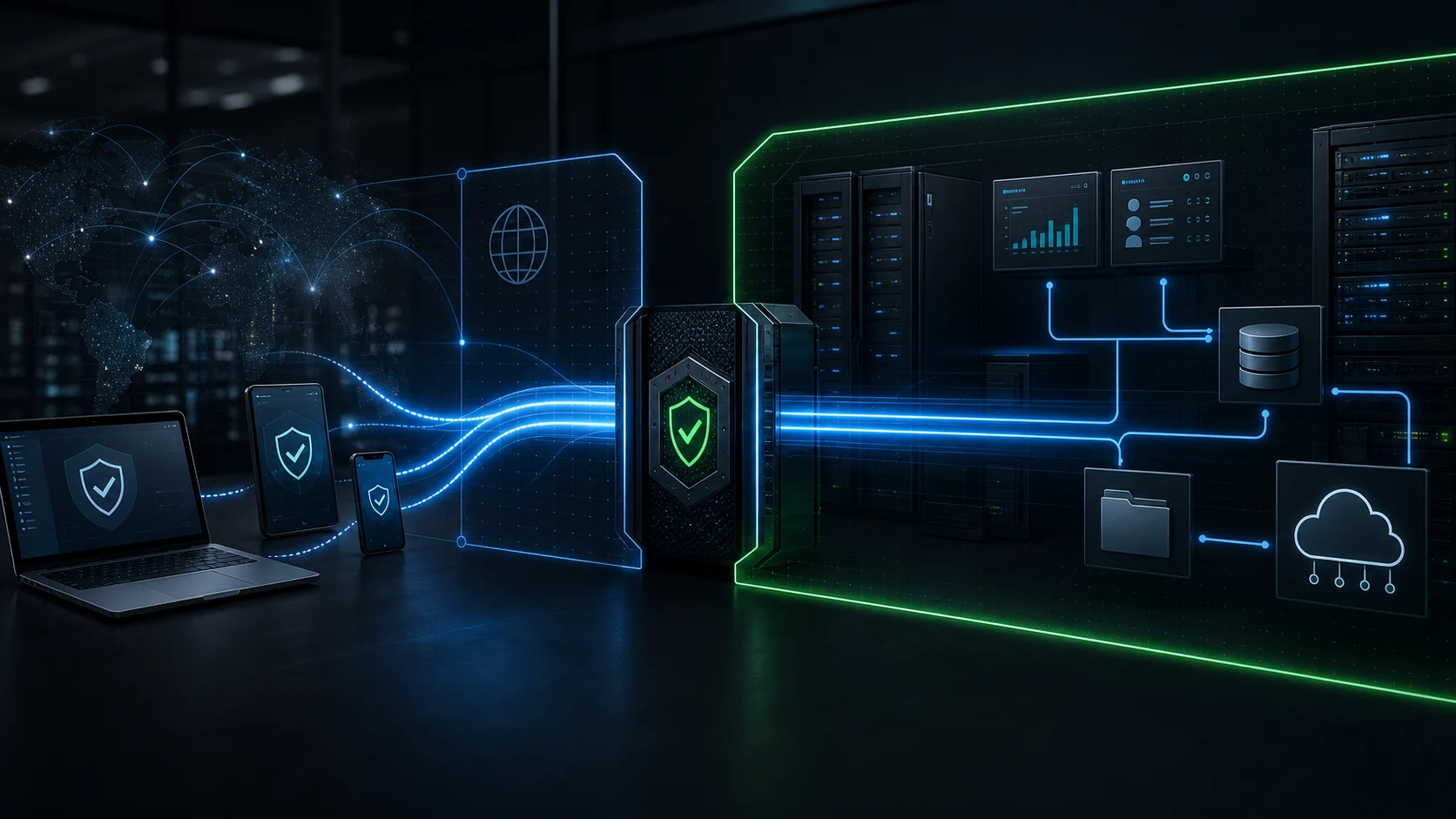
Core idea: a corporate VPN is not a public privacy product. It is a private access layer that lets approved people reach company systems that should not be exposed to the open internet.
Need implementation help? If you are comparing corporate VPN network options for a real business, start with the Nythral Corporate VPN Network setup page. It has the free consultation form, scope checklist, and service path.
Most people hear “VPN” and think of a consumer app that changes a visible location, bypasses a streaming region, or routes traffic through a public provider. That is not the same problem a company is trying to solve.
A corporate VPN is closer to a private entrance into the company's operational network. It creates an encrypted tunnel between an approved user device and a controlled business gateway. Behind that gateway can sit admin panels, databases, internal dashboards, staging environments, file systems, monitoring tools, CRM back offices, and vendor portals that should never be reachable by random scanners on the public internet.
That difference matters. A public VPN sells shared exit infrastructure to many unrelated users. A corporate VPN protects one organization's private sector of systems, permissions, and network routes.
What A Corporate VPN Actually Does
A corporate VPN gives a business a controlled network path into resources that are intentionally not public. The simplest version protects a single admin panel. A larger deployment can segment access across teams, roles, environments, and infrastructure groups.
For a small company, that can mean “only these five people can open the admin dashboard.” For an operations-heavy company, it can mean field staff, finance, support, leadership, and developers all reach different internal services without those services having public login pages exposed to every bot on the internet.
Corporate VPN Network Setup Checklist
If you are planning a corporate VPN network, the useful question is not “which VPN app should we buy?” The useful question is “which private business systems should become reachable only through a controlled network path?” A corporate VPN network setup should start with systems, users, devices, and routes before anyone installs gateway software.
A practical setup normally includes five decisions: the VPN gateway location, the authentication method, the private routes users receive, the firewall rules that close direct public access, and the operating process for onboarding and revoking users. When those pieces are clear, the VPN becomes a business access layer instead of a loose remote-access shortcut.
| Setup area | What to decide | Why it matters |
|---|---|---|
| Gateway | Cloud VM, office appliance, or managed private network entry point. | This is the controlled door into the private business network. |
| Authentication | Certificates, device profiles, strong passwords, MFA, or identity-provider rules. | The network should know both who is connecting and which device they use. |
| Routes | Only the subnets, dashboards, admin panels, or internal tools each group needs. | Limited routes reduce damage if one account or device is compromised. |
| Firewall policy | Protected systems accept traffic from the VPN path and reject direct public traffic. | The main SEO/security value is removing unnecessary public exposure. |
| Operations | Document profile delivery, support, monitoring, patching, and offboarding. | A corporate VPN network must stay maintainable after launch. |
Implementation path: for a real corporate VPN network setup, use the Nythral Corporate VPN Network page to request a consultation. The article explains the model; the service page turns it into a scoped gateway, firewall, and device rollout plan.
For a narrower planning path, use the supporting guides on remote access VPN for business, site-to-site VPN for small business, the business VPN setup checklist, and WireGuard vs OpenVPN for business. Together they form the practical decision map behind a corporate network VPN implementation.
Private VPN vs Public VPN
The public VPN market has trained users to think about exit nodes, location switching, and anonymized browsing. Corporate VPN architecture is pointed in the opposite direction. The goal is not to send ordinary web browsing through a commercial server. The goal is to bring authorized people into a private business network under rules the company controls.
| Question | Public consumer VPN | Corporate private VPN |
|---|---|---|
| Primary purpose | Route personal internet traffic through a provider. | Provide controlled access to private company systems. |
| Users | Unrelated subscribers using shared infrastructure. | Employees, owners, contractors, vendors, and managed devices. |
| Trust model | The user trusts the VPN provider as an internet exit. | The company owns the gateway, rules, routes, and access lifecycle. |
| Protected target | The user's public browsing path. | Internal admin panels, databases, dashboards, tools, servers, and cloud networks. |
| Business outcome | Privacy or location routing for an individual. | Reduced public exposure and stronger operational control for a team. |
How It Works Under The Hood
At the network level, a VPN establishes a secure tunnel between the user's device and a gateway. Common business VPN designs use IPsec/IKEv2, SSL/TLS VPNs, WireGuard-style tunnels, or managed cloud VPN products. The protocol is important, but the protocol alone is not the architecture.
The gateway needs to know who is connecting, which device they are using, what network ranges they may reach, what should be blocked, how access is revoked, and what logs should exist for operational review. NIST's VPN guidance has long framed VPN planning as a lifecycle: design, implement, configure, secure, monitor, and maintain. That lifecycle framing is still the right way to think about it.
Who Uses Corporate VPNs?
Corporate VPNs are useful anywhere a business has systems that are operationally important but should not be public. That includes small businesses with one admin portal, SaaS teams with staging tools, agencies managing client back offices, medical or legal offices with sensitive records, ecommerce operations with fulfillment dashboards, and distributed teams that need safe infrastructure access.
The pattern is especially valuable for companies that are not ready for a full zero-trust platform but still need a serious private access boundary. A well-built VPN is not a magic shield, and it should not replace application security, MFA, patching, backups, or least privilege. But it can remove a large category of unnecessary public exposure.
What The User Actually Gains
For the person using it, a corporate VPN should feel boring in the best way. Connect, authenticate, open the internal system, work, disconnect. The complexity sits in the gateway, routing, firewall, and device profile so users are not inventing their own insecure workarounds.
The strongest benefit is confidence. The company can say: this admin panel is not public; this database is not open to the world; this contractor can only reach the systems they need; this phone can be removed if lost; this old employee access can be revoked without hunting through every server firewall by hand.
| Benefit | What it means in practice |
|---|---|
| Less public attack surface | Internal tools do not need public login screens just because the team works remotely. |
| Safer remote work | Users can connect from untrusted networks while traffic to private systems stays inside an encrypted tunnel. |
| Cleaner onboarding | New users get a profile, instructions, and clear access boundaries instead of ad hoc server exceptions. |
| Cleaner offboarding | Lost devices, former employees, and expired vendors can be removed from the access layer. |
| Better operations | The access model becomes documentable, auditable, and easier to troubleshoot. |
Security Risks To Respect
A VPN gateway is powerful because it is an entrance into private systems. That also makes it a serious target. CISA and NSA have repeatedly warned that remote access VPN servers are exposed entry points and that attackers target vulnerable or poorly controlled remote access infrastructure.
This is why a corporate VPN should be designed as a maintained system, not a one-time installation. Good deployments use current software, strong authentication, limited routes, minimal exposed services, documented recovery, and clear ownership. MFA, certificate handling, patch cadence, and firewall policy are not optional decoration; they are the difference between private infrastructure and a new high-value doorway.
Design rule: never use a VPN to justify weak applications. The VPN reduces exposure, but internal systems still need proper authentication, authorization, logging, backups, and update discipline.
How Nythral Builds It
For a lean corporate VPN deployment, the build starts with the actual access map: who needs access, which systems need protection, which devices are expected, and which public endpoints can be closed after the VPN is in place.
From there, Nythral can deploy a lightweight VPN gateway using proven infrastructure such as Linux, StrongSwan, IKEv2, cloud firewalls, device profiles, and documented operating rules. The exact stack depends on the client's environment, but the goal stays the same: approved devices get reliable private access; sensitive panels stop living directly on the public internet.
For teams that need help designing this properly, see Nythral VPN. The practical recommendation is simple: if the VPN will guard business-critical systems, have specialists design and review it instead of treating it like a weekend utility script.
Interesting Facts
VPN technology is older than the modern cloud, but the need has become sharper. Admin panels, dashboards, cloud databases, remote work, contractor access, and mobile operations have made private network boundaries relevant again. The trend toward zero trust does not make VPNs disappear; it changes how they should be used. A VPN should be one layer in a broader access model, not the only control.
Another useful fact: the biggest value often comes from what disappears. After a good VPN rollout, fewer admin URLs need to be public. Fewer random IPs are allowed to touch internal services. Fewer emergency firewall exceptions become permanent. The company gains a cleaner line between public product surfaces and private operational surfaces.
The Clean Recommendation
If a business has admin panels, databases, internal dashboards, staging tools, or infrastructure consoles that do not need to be public, a corporate VPN is often one of the fastest ways to reduce exposure while keeping work practical.
The right version is not “install a VPN and hope.” The right version is access design: users, devices, routes, firewall rules, authentication, patching, logging, documentation, and offboarding. Built that way, a corporate VPN becomes quiet infrastructure that protects the company every day.
And that is the important distinction: a public VPN is something users buy from a provider. A corporate VPN is something a company owns as part of its security architecture.