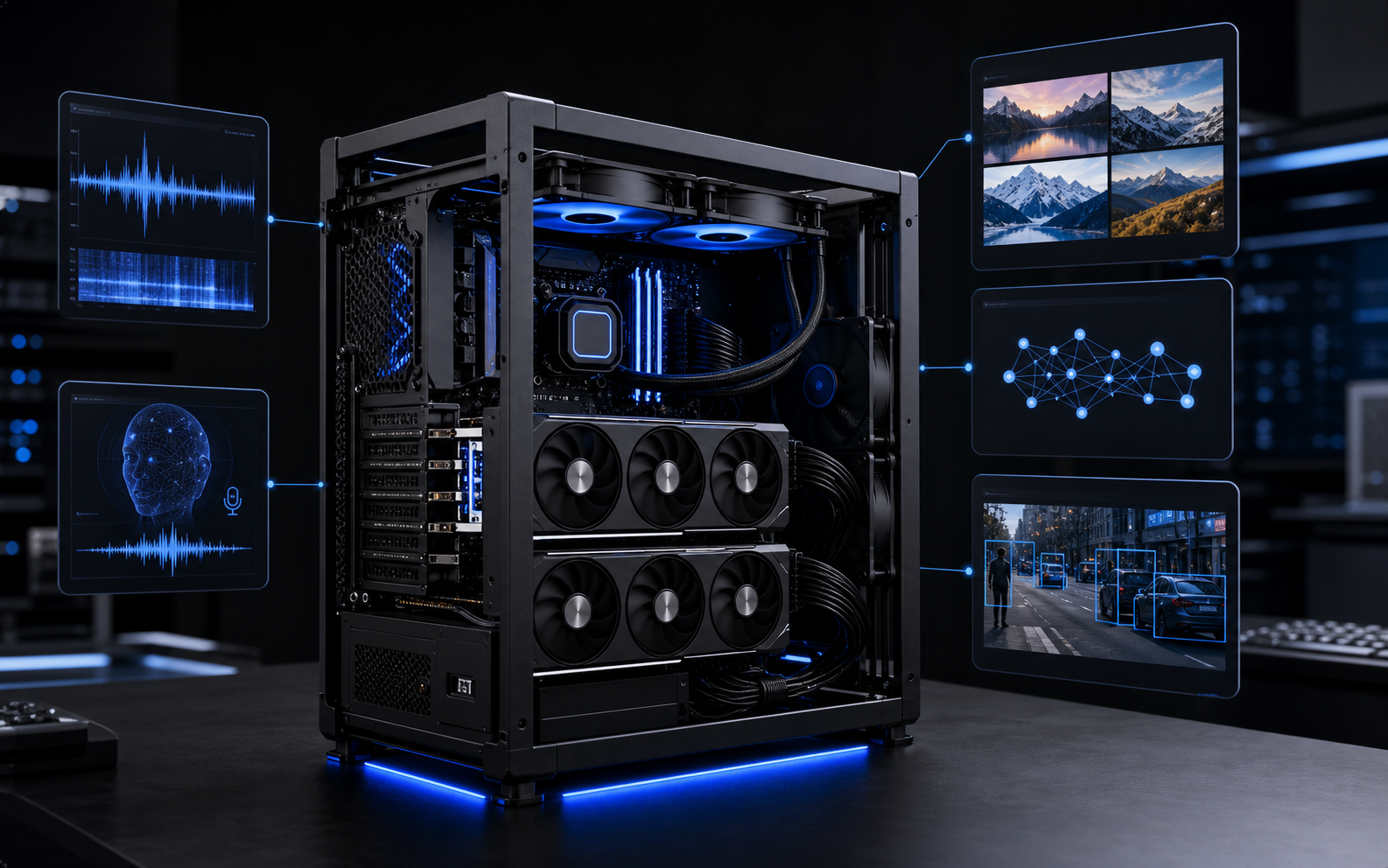
Buying a machine for local AI is confusing because every spec sheet sounds important. GPU memory, unified memory, CUDA cores, NPU TOPS, bandwidth, quantization, context length, tokens per second, power draw, thermals, and model size all matter. They do not matter equally.
The useful question is simpler: what are you trying to run, how private does it need to be, and how patient can the user be while it answers?
The best local AI machine is not the biggest one you can afford. It is the smallest machine that runs your actual model, with your actual context size, at a speed your workflow can tolerate.
This guide is written for people deciding what to buy before they waste money. It covers the common open-weight model families, the real hardware tiers, and the tradeoffs between Mac, AMD unified-memory mini-PCs, consumer NVIDIA GPUs, workstation GPUs, and servers.
First decide what you are launching
A local model can do many different jobs. A machine that is perfect for one job can be weak or overpriced for another.
If you want a private assistant that summarizes PDFs, answers questions over company files, writes drafts, or classifies support tickets, you can often start with a 7B to 14B model. If you want stronger coding, longer reasoning, better tool calling, or fewer weird answers, you usually move into 24B, 27B, 32B, or 70B territory. If you want frontier-level research behavior from open weights, you are no longer buying a casual desktop; you are planning a serious workstation or server.
| Workload | Good starting model tier | Hardware direction |
|---|---|---|
| Private chat, notes, basic summaries | 4B-8B | Modern laptop, Mac mini, small GPU, or mini-PC |
| Company-file assistant with RAG | 8B-14B plus embeddings | 32-64GB system memory or 12-24GB VRAM |
| Reliable writing, analysis, support drafts | 14B-32B | 64-128GB unified memory or 24-32GB VRAM |
| Local coding assistant | 14B-32B, sometimes 70B | RTX 4090/5090 class, Mac Studio, or 128GB unified-memory box |
| Heavy reasoning, research, synthetic data | 70B+ | 48-96GB VRAM, multi-GPU, high-memory Mac Studio, or server |
That table is deliberately conservative. Quantization can make larger models fit on smaller machines, but fit is not the same as good. A model that barely fits may be slow, unstable with long context, or useless once you add retrieval, tools, several users, and a browser full of background processes.
The model families worth knowing
The local model landscape changes constantly, but the buyer logic stays stable. You are choosing between small fast models, medium models that feel much smarter, and large models that need real memory.
Llama: the safe general-purpose baseline
Meta's Llama 3.1 family is still an important reference point because it comes in clear sizes: 8B, 70B, and 405B, with a 128K context window in the official release. The 8B model is the practical local baseline. It is good for private chat, summarization, extraction, and simple agent tasks. The 70B model is the point where answers feel much more capable, but the machine requirement changes dramatically. The 405B model is not something most small teams should plan to run on a desktop.
For buying hardware, Llama is useful because it shows the jump: 8B can run on modest hardware; 70B wants serious memory; 405B belongs in datacenter-grade planning.
Qwen: strong coding, multilingual, and many sizes
Qwen is often one of the most practical local choices because it gives you many sizes. Qwen3 includes dense models from small sizes up to 32B, plus larger mixture-of-experts variants. Qwen3 models natively support 32K context, with longer-context techniques such as YaRN validated for much longer windows on some model cards.
For a buyer, Qwen matters because the 14B and 32B class can be very useful for coding, structured reasoning, and business automation without immediately jumping to a 70B machine.
DeepSeek-R1 Distill: reasoning on smaller machines
DeepSeek-R1 itself is large, but the released distilled models include 1.5B, 7B, 8B, 14B, 32B, and 70B checkpoints based on Qwen and Llama families. These are interesting when the workflow needs deliberate reasoning: math-like problem solving, step-by-step technical decisions, or code review.
The catch is speed and behavior. Reasoning models can produce long internal-style chains and may feel slower than a normal chat model. They are useful when the task benefits from thinking time, not when you need instant UI copy or quick classification.
Mistral Small and Gemma: compact models with useful special cases
Mistral Small 3.1 is a 24B-class model with vision support and up to 128K context in the official Mistral material. Google Gemma models are also useful in smaller and medium tiers; Gemma 3 model cards describe 1B, 4B, 12B, and 27B sizes, with large input context for the 4B, 12B, and 27B variants. Google has also started moving the Gemma family forward with newer Gemma 4 sizes.
These models are worth testing when you want a compact local assistant, multimodal input, or a model that behaves better for a particular language or task. Do not buy hardware only for one brand name. Pick two or three candidate models and test the workflow if you can.
The memory rule that saves money
Local inference is usually limited by memory before it is limited by raw compute. The model weights must fit somewhere: GPU VRAM, Apple unified memory, AMD unified memory, or system RAM with CPU offload. Then the context window adds more memory through the KV cache. Longer documents and longer conversations are not free.
A rough planning rule:
- 4B to 8B models are comfortable on many modern machines.
- 12B to 14B models want more breathing room, especially with long context.
- 24B to 32B models are where 24GB VRAM or 64-128GB unified memory starts to matter.
- 70B models are possible with quantization, but they are no longer casual. Expect 48GB+ VRAM, 128GB unified memory, or compromises.
- 100B+ dense models and very large MoE models are server planning, not impulse purchases.
Quantization changes the equation. A 4-bit quantized model uses far less memory than FP16, often with acceptable quality loss for business workflows. But quantization is not magic. Higher quantization usually means better quality and more memory. Lower quantization means smaller memory and more risk of degraded answers. Long context still adds overhead.
Machine tier one: the small local node
This is the machine for a founder, developer, analyst, or office that wants private AI running quietly without building a GPU tower.
A Mac mini M4 or M4 Pro is attractive because it is quiet, small, power efficient, and simple to operate. Apple lists Mac mini configurations up to 64GB unified memory on M4 Pro. That is enough for useful 7B, 8B, 12B, and some 14B workflows, plus embeddings and light document retrieval. It is not the machine I would buy for a serious 70B workflow.
A good Mac mini choice for local AI is usually not the cheapest model. If the machine is expected to run assistants, indexes, and background services, memory matters more than storage. A 48GB or 64GB M4 Pro Mac mini is more realistic than a base configuration.
Buy this tier when:
- you want private chat and summaries for one or a few users;
- you care about quiet operation and low power;
- you are running 4B-14B models, not chasing 70B;
- you want a small always-on box for Ollama, LM Studio, Open WebUI, or internal tools.
Do not buy this tier if the real plan is local coding agents on 32B models all day, multi-user inference, or large-model experimentation. It will work for demos and then become the wrong machine.
Machine tier two: AMD unified-memory mini workstation
The most interesting non-Mac category is the AMD Ryzen AI Max / Framework Desktop style machine. Framework sells a Desktop with Ryzen AI Max+ 395 and up to 128GB LPDDR5x-8000 memory. AMD's own Ryzen AI Max+ PRO 395 specifications list 16 cores, Radeon 8060S graphics, LPDDR5x-8000, and up to 128GB memory. AMD also describes systems where a large portion of unified memory can be assigned as graphics memory.
This matters because local AI is often memory-constrained. A 128GB unified-memory mini workstation can hold larger quantized models than many consumer GPU boxes, even if raw GPU speed is lower than a high-end NVIDIA card.
This tier is compelling when the buyer wants to experiment with 32B and some 70B-class quantized models without buying workstation GPUs. It is also a good fit for local agents that need lots of memory, moderate speed, and a compact box.
The weakness is software maturity and acceleration ecosystem. NVIDIA CUDA remains the easiest path for many AI tools. AMD support has improved, but if your stack depends on a specific CUDA workflow, check before buying.
Buy this tier when:
- you want a compact local AI box with much more memory than a normal mini-PC;
- you value model capacity over maximum tokens per second;
- you are comfortable validating Linux/Windows runtime support;
- you want to try 32B and quantized 70B workflows without a giant tower.
Machine tier three: consumer NVIDIA GPU workstation
This is the default recommendation for builders who want speed and compatibility. NVIDIA's RTX 4090 has 24GB VRAM. The RTX 5090 moves the consumer flagship tier to 32GB GDDR7 according to NVIDIA's product page. That extra memory matters for local models.
A 24GB RTX 4090 is excellent for 7B, 14B, 24B, and many 32B-class quantized workflows. It is fast, widely supported, and common enough that community guidance is easy to find. A 32GB RTX 5090 gives more headroom for larger models and context, but it is power-hungry and expensive. NVIDIA lists the RTX 5090 at 32GB GDDR7, and board partners commonly specify very high power requirements.
For a workstation, do not only budget for the GPU. You need a good PSU, airflow, enough system RAM, fast NVMe storage, and a motherboard/case that can physically and thermally handle the card. A bad case can turn a powerful AI box into a noisy unstable heater.
Buy this tier when:
- you want the best local compatibility with AI tooling;
- you plan to run 14B-32B models regularly;
- you need fast generation and low latency for one or a few users;
- you may do image, video, or CUDA-heavy creative AI workflows too.
Do not buy only 24GB VRAM if your main requirement is comfortable 70B. It can be done with compromises, but if 70B is the daily target, buy for 70B directly.
Machine tier four: workstation GPU and high-memory Mac Studio
This is where the purchase becomes a business infrastructure decision rather than a personal computer decision.
NVIDIA's RTX 6000 Ada has 48GB ECC memory. NVIDIA's RTX PRO 6000 Blackwell family moves to 96GB GDDR7. That changes what is comfortable: 48GB is a serious 70B experimentation tier; 96GB is a much better fit for large models, heavier context, and professional workloads that need fewer compromises.
Apple's Mac Studio is the other high-memory path. Apple lists Mac Studio configurations with M4 Max or M3 Ultra, with the M3 Ultra line offering very high unified memory and 819GB/s memory bandwidth in the published specs. A high-memory Mac Studio can run large quantized models that do not fit on consumer GPUs, and it does so quietly compared with many GPU towers. The tradeoff is that NVIDIA CUDA workloads are not available, and raw inference speed may not match high-end NVIDIA GPUs for many stacks.
Buy this tier when:
- local AI is part of production work, not a weekend experiment;
- you need 70B-class models with more comfort;
- you care about reliability, ECC memory, professional drivers, or vendor support;
- you are running multiple workflows: local LLMs, creative AI, rendering, CAD, or research jobs.
For most small businesses, this is not the first purchase. It becomes rational after the workflow is proven and model quality clearly improves business output.
Machine tier five: server or compute pool
A server makes sense when multiple people or agents need the model, when uptime matters, or when the system should be monitored like infrastructure. One powerful desktop can serve a small team, but it still behaves like a desktop unless you add operations: user access, queues, logs, backups, model versioning, and restart behavior.
If you are buying for a team, think in terms of a compute layer: a smaller always-on machine for routing and embeddings, one or more GPU boxes for heavy inference, storage for documents, and a policy for what can leave the private environment. This prevents every new model from becoming a manual setup project.
Buy this tier when:
- several users need the system every day;
- you need 70B+ models as a service, not as a one-user desktop;
- you need monitoring, access control, backups, and predictable uptime;
- you expect to route between small, medium, and large models.
Recommended purchases by scenario
| Scenario | Buy this first | Why |
|---|---|---|
| Solo private assistant | Mac mini M4 Pro, 48-64GB | Quiet, simple, enough for useful 7B-14B workflows |
| Local coding and automation box | RTX 4090/5090 workstation | Best compatibility and speed for 14B-32B models |
| Large-model experimentation on a compact box | Framework Desktop / Ryzen AI Max+ 395, 128GB | Large unified memory helps with bigger quantized models |
| Daily 70B-class work | RTX 6000 Ada 48GB or high-memory Mac Studio | Much more headroom than consumer 24GB cards |
| Serious private AI service for a team | Server or compute pool | Users, queues, monitoring, and model routing matter |
| Heavy local research or synthetic data | RTX PRO 6000 Blackwell 96GB or multi-GPU/server | Large memory and infrastructure discipline become necessary |
If you want Nythral to provide the machine
If you do not want to assemble hardware yourself, the same decision still applies: pick the model tier first, then choose the machine. Nythral keeps available systems in the hardware marketplace, including purchase options such as the Mac mini M4 Pro 48GB for smaller private assistants, Mac Studio for higher-memory local AI work, and Umbrel devices for private self-hosted infrastructure.
The practical split is simple. Buy hardware when you want the machine to become part of your own infrastructure. Rent or use a managed hardware slot when you want Nythral to provision, monitor, and maintain the runtime while you validate the workflow. Either way, the purchase should come after the model choice, not before it.
A practical decision path
If you are still unsure, use this path.
- Pick the real workflow. Example: summarize customer calls, answer questions over PDFs, write code, draft estimates, classify leads, or run agents over repositories.
- Pick two candidate models. One smaller fast model and one larger quality model. For example: Qwen 14B plus Qwen 32B; Llama 8B plus Llama 70B; Gemma 12B plus Mistral Small 24B.
- Estimate memory with context. Do not test only a one-line prompt. Use the documents, codebase, or conversation length you actually expect.
- Choose the machine with headroom. Leave room for the OS, runtime, embeddings, vector database, browser, and future model updates.
- Decide whether speed or capacity matters more. NVIDIA GPUs usually win on speed and tooling. Unified-memory machines often win on fitting larger quantized models per dollar or per liter of desk space.
- Plan operations before production. Backups, logs, access control, model updates, and fallback behavior matter as much as the GPU.
What I would not buy
I would not buy a low-memory gaming laptop for serious local AI unless portability is the main requirement. Laptop GPUs often have less VRAM and tighter thermals than their names suggest.
I would not buy a base Mac mini and expect it to become a long-term AI server for a business. It is a nice entry point, but memory limits arrive quickly.
I would not buy a used multi-GPU server unless someone is ready to own noise, heat, power, drivers, networking, and failures. Cheap hardware can become expensive operations.
I would not buy a 96GB professional GPU for a workflow that has not been tested on a rented machine or smaller local box. Prove the model improves the work before buying the crown-jewel hardware.
The short answer
If you want a quiet local assistant, buy a memory-heavy Mac mini or similar small node. If you want speed, coding, and broad AI tooling support, build an NVIDIA workstation. If you want to fit bigger models without a huge tower, look at 128GB AMD unified-memory machines. If you want comfortable 70B or production team use, plan for workstation GPUs, Mac Studio, or a server layer.
For most small teams, the best first serious purchase is either a 64GB Mac mini M4 Pro for private assistant workflows, a 128GB Ryzen AI Max+ 395 class machine for large-memory experimentation, or an RTX 4090/5090 workstation for CUDA-friendly speed. The right one depends less on brand and more on the model tier you actually intend to run.