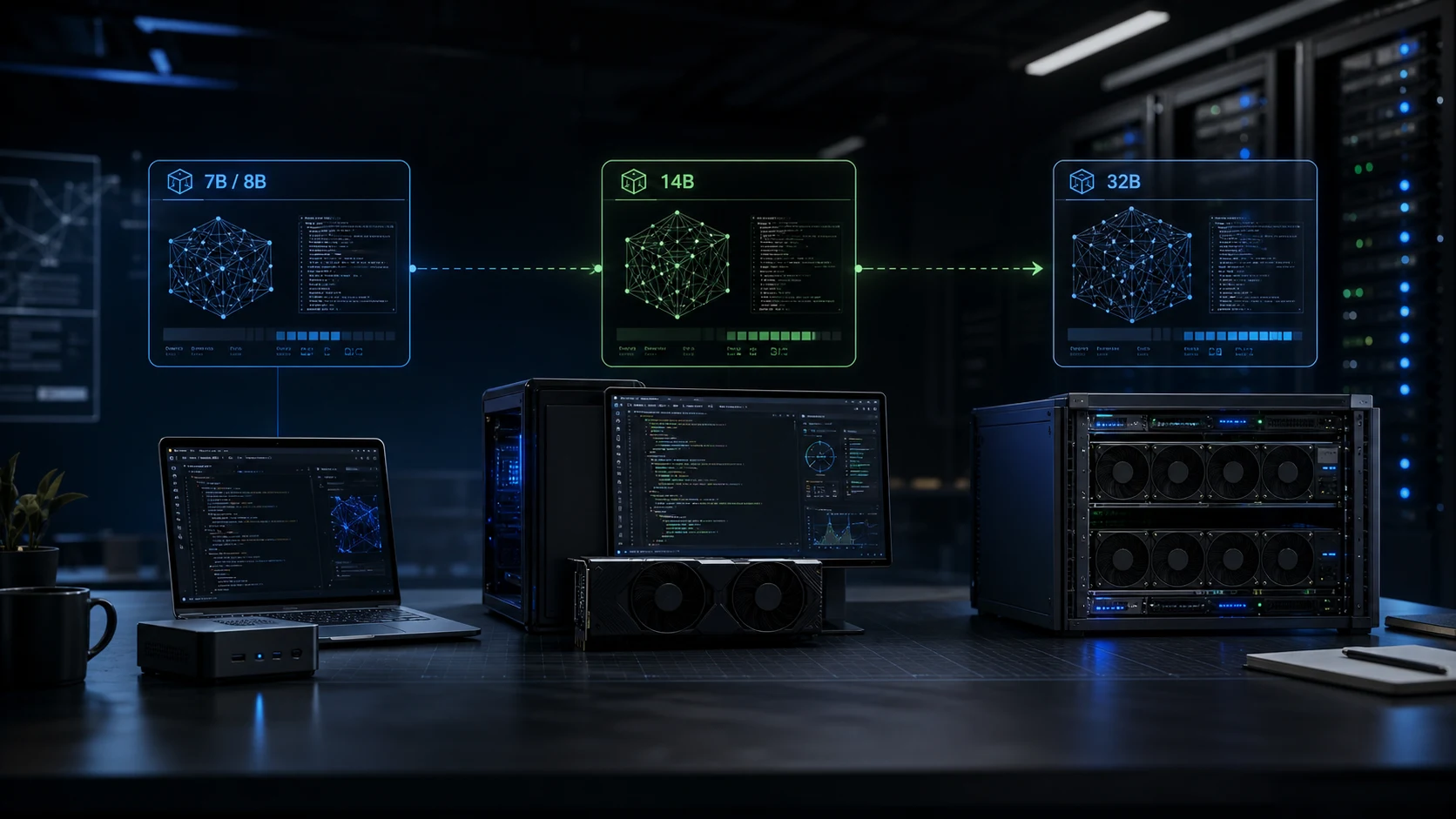
Operator frame: Qwen is not one deployment decision. A 7B or 8B model is a private coding utility. A 14B model is a daily local assistant. A 32B model is where local coding starts to feel like infrastructure.
Most local AI conversations collapse into a single question: “Can this machine run the model?” That is the wrong first question. The better question is: “What kind of work should this machine absorb without slowing the team down?”
Qwen makes that question interesting because the family covers useful middle sizes. For coding work, the clean comparison is still Qwen2.5-Coder across 7B, 14B, and 32B. Qwen's newer dense Qwen3 line shifts the small tier from 7B to 8B, while keeping 14B and 32B as the practical middle and large dense options. So when teams say “7, 14, 32,” they are usually describing an operating pattern as much as a model list.
First, Which Qwen?
For code, Qwen2.5-Coder is the family to understand. The official Qwen release describes six mainstream sizes, including 0.5B, 1.5B, 3B, 7B, 14B, and 32B, with the 32B instruct model positioned as a state-of-the-art open-source code model at release time. The earlier Qwen2.5-Coder announcement also emphasized a 128K context window, broad programming-language coverage, and code generation, completion, repair, and multi-language coding tasks.
Qwen3 matters because it updates the general dense model ladder: Qwen lists Qwen3-8B, Qwen3-14B, and Qwen3-32B among its open-weight dense models, each with a 128K context window for those three sizes. That makes Qwen3 relevant for mixed reasoning, tool use, writing, analysis, and coding-adjacent work, but the 7B/14B/32B coding comparison is still most naturally a Qwen2.5-Coder comparison.
Working translation: read “7B” as the compact coding tier, “14B” as the local daily-driver tier, and “32B” as the serious local infrastructure tier. In Qwen3 dense naming, the compact tier is 8B, not 7B.
The Hardware Question
A model can technically run on many machines if quantized enough. That does not mean it is a good deployment. Coding assistants are interactive: latency matters. If every answer arrives slowly, developers stop using the tool except for occasional long prompts.
Use these budgets as pragmatic planning numbers, not hard vendor promises. They assume local inference with a quantized model, sensible context limits, and a single active user unless noted. Longer context, higher batch size, and concurrency increase memory pressure quickly because KV cache is separate from the model weights.
| Tier | Useful machine | Comfortable setup | What it should do |
|---|---|---|---|
| 7B / 8B | Modern laptop or mini PC with 16-32GB unified memory, or an 8GB GPU for modest contexts. | 32GB unified memory, or 12GB GPU if you want smoother local coding use. | Fast chat, small patches, code explanation, commit messages, shell help, test generation, and private autocomplete. |
| 14B | 32GB unified memory or 12-16GB VRAM with quantization and controlled context. | 48-64GB unified memory, or 16-24GB VRAM for better context and speed. | Repository-aware debugging, multi-file edits, stronger refactor suggestions, better instruction following, and daily assistant use. |
| 32B | 64GB unified memory or 24GB VRAM with aggressive quantization and careful context. | 96-128GB unified memory, 48GB VRAM, or a dedicated GPU server for shared use. | Architecture review, agentic coding loops, longer planning, harder bug analysis, and team-facing private inference. |
The hidden cost is not only the box. It is the operational shape around the box: model storage, update cadence, prompt routing, developer access, logging policy, fallback behavior, and whether the team can tell when the model is failing silently.
What People Actually Do With 7B
The small tier is useful when the task is local, bounded, and easy to verify. It can explain an error message, draft a small function, rewrite a query, summarize a file, propose tests, generate a migration skeleton, or turn a messy note into a cleaner implementation checklist.
It is also the tier that makes the best “always available” assistant. Put it on a laptop, Mac mini, small workstation, or developer box. Keep the prompt short. Keep the context focused. Let it answer fast. Do not ask it to own a complex migration across twenty files and then blame the model when it hallucinates the architecture.
What Changes At 14B
The 14B tier is where the model usually becomes less brittle. It follows instructions better, recovers from messy prompts more often, and handles medium-sized debugging tasks with fewer retries. For a developer, that changes the relationship: the model is no longer only a fast text transformer. It becomes a practical pair-programming tool for well-scoped work.
This is the tier we would consider for a serious private coding workstation. It can inspect a file, reason about adjacent modules, propose a patch shape, and explain tradeoffs without immediately jumping to the most generic answer. It still needs strong boundaries. Give it the relevant code, tests, and constraints. Do not dump the whole company repository into context and expect judgment to emerge from volume.
Practical recommendation: if a team wants one local model for normal developer assistance, start at 14B if the hardware budget allows it. It is the best balance between useful reasoning and reasonable operating cost.
What 32B Buys
The 32B tier is where the model becomes interesting for deeper coding work: architecture critique, multi-file debugging, code review, migration planning, tool-using agents, and harder reasoning over messy real-world systems. It can still be wrong. It can still invent APIs. But it is more likely to preserve the intent across a longer chain of steps.
The tradeoff is infrastructure. A 32B model can run locally with quantization, but the best experience usually wants a dedicated workstation or server. If multiple people use it, treat it like a service: isolate access, watch utilization, choose context limits deliberately, and decide what gets logged. Private AI is not private if every prompt is copied into a random analytics trail.
| Workflow | 7B / 8B | 14B | 32B |
|---|---|---|---|
| Autocomplete and small snippets | Good | Good, sometimes slower | Usually overkill |
| Explaining errors | Good for common failures | Better when project context matters | Best when the failure spans systems |
| Multi-file refactor planning | Weak | Usable with tight context | Strongest local option |
| Code review | Surface-level | Useful for focused diffs | Better for behavioral risk and architecture |
| Agentic coding loops | Fragile | Possible for constrained tasks | Most practical of the three |
| Team-shared inference | Cheap but shallow | Good if concurrency is low | Best fit, but needs real operations |
The Real Deployment Pattern
The mistake is trying to crown one model as the answer. In real private infrastructure, the clean pattern is tiered routing.
Use the compact model for fast local tasks. Use 14B as the default assistant when the developer needs a real answer but not a research job. Use 32B when the prompt contains risk: a cross-module change, a production bug, a security-sensitive review, a migration, or an agent loop that will make edits.
Cost Is Not Just Purchase Price
A 7B setup can be almost invisible if it runs on hardware a developer already owns. A 14B setup may justify a better local machine because it improves daily throughput. A 32B setup starts to look like infrastructure: a GPU workstation, shared server, or internal endpoint with access control.
The right economic question is not “how do we run the biggest model locally?” It is “where does local inference reduce risk or recurring cost enough to deserve ownership?”
The Clean Recommendation
For one developer experimenting with private coding assistance, start with the compact tier. It is cheap, fast, and honest about its limits.
For a serious local coding workstation, target the 14B tier first. It is the most practical default for a private assistant that can help with real development without turning the machine into a dedicated inference appliance.
For a small team building private AI infrastructure, add a 32B endpoint only when there is a workflow that deserves it: code review, agentic implementation, production debugging, or repository-level planning. Do not buy the large box just to win a benchmark screenshot. Buy it when it changes what the team can safely delegate.
The best Qwen setup is not the largest one. It is the one where model size, hardware, context policy, privacy, and engineering process all point in the same direction.