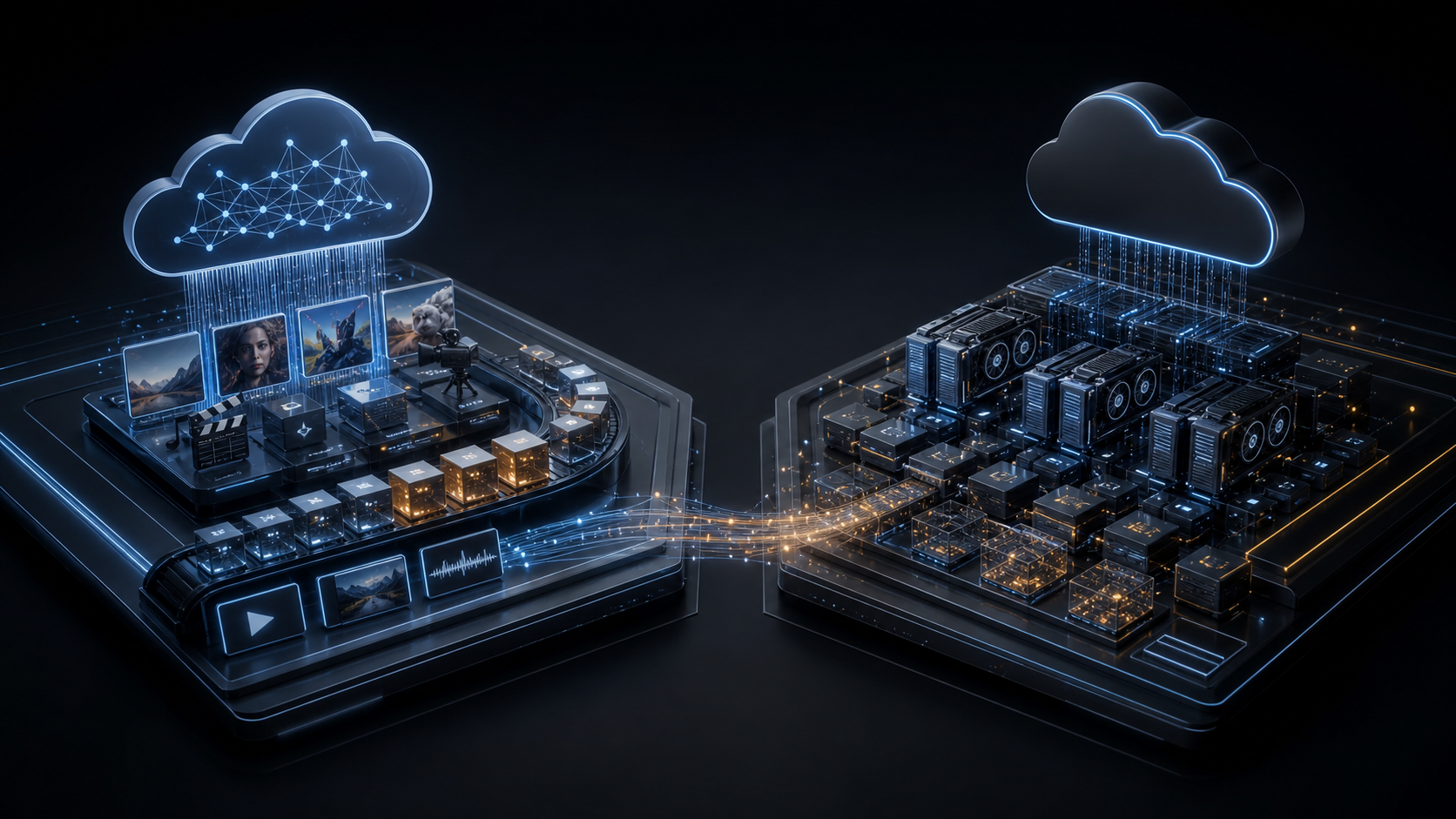
Short answer: use fal.ai when the product needs fast access to production-ready generative media models through a simple API. Use Modal when the product needs a programmable compute layer for custom Python, GPUs, queues, inference services, training jobs, sandboxes, or model infrastructure that your team controls.
fal.ai and Modal both help developers avoid managing GPU servers directly. That overlap makes the comparison tempting, but the useful distinction is not “which one has GPUs?” It is “who owns the model runtime, and how much control does the product need?”
fal.ai is strongest when the model is already packaged, priced, documented, and ready to call. The platform exposes a large marketplace of image, video, audio, 3D, and other generative AI endpoints. A team can integrate a model from the gallery, send a request, receive an output, and move on to product design, moderation, storage, and billing.
Modal is strongest when the team needs to bring code. You define Python functions, images, dependencies, GPUs, secrets, volumes, queues, web endpoints, schedules, and sandboxes. The model can come from Hugging Face, a Modal Volume, object storage, a Docker image, or your own training run. Modal is less “pick a model card” and more “build the execution plane.”
fal.ai vs Modal At A Glance
| Decision point | fal.ai | Modal |
|---|---|---|
| Best mental model | Generative media model APIs plus Serverless for custom AI apps. | Python-first serverless compute for AI, data, inference, training, and sandboxes. |
| Default workflow | Choose a model endpoint, call it through API/SDK, pay per successful output or configured unit. | Write code, define the runtime, select CPU/GPU, deploy functions or web endpoints. |
| Strongest product fit | Image, video, audio, music, lip-sync, avatar, 3D, and creative generation features. | Custom LLM serving, embeddings, batch jobs, fine-tuning, data processing, agents, private workflows. |
| Control level | High speed and convenience for supported endpoints; less runtime ownership for marketplace models. | High runtime control; more engineering responsibility for model packaging and serving. |
| Pricing shape | Mostly output-based for Model APIs; custom Serverless/Compute also exposes GPU pricing. | Per-second resource billing for CPU, memory, GPU tasks, volumes, and related platform resources. |
| Architecture role | Specialized model provider behind your backend. | Execution plane behind your backend. |
When fal.ai Is The Better Default
fal.ai is the cleaner choice when the product feature is “generate media” and the model already exists in the fal catalog. The important advantage is integration speed. Every model page includes a playground, schema, API examples, and pricing information. The queue API, status polling, streaming updates, cancellation, and webhooks give teams a practical path for long-running outputs such as video generation.
That matters because media generation products rarely fail only because of model quality. They fail because the workflow around the model is unfinished: queue state, retry behavior, storage, previews, webhooks, moderation, payment limits, and customer-facing status. fal.ai removes enough model infrastructure that the team can spend engineering time on those product details.
Models That Fit fal.ai
fal.ai is best for model families where the output is a creative artifact and a managed endpoint is more valuable than runtime control. As checked on July 11, 2026, the public fal model pages and documentation point to a broad catalog across image, video, audio, 3D, and more, with examples such as FLUX-style image generation, Google Veo 3 and Veo 3.1 video, ByteDance Seedance, Wan video/effects, Kling avatar video, OmniHuman, MuseTalk, PixVerse sound effects, and ElevenLabs Music.
The exact catalog changes, so the stronger rule is by workload rather than brand name:
| Workload | fal.ai fit | Why |
|---|---|---|
| Text-to-image and image editing | Strong | Many ready endpoints, simple schemas, fast iteration, easy A/B testing across models. |
| Image-to-video and text-to-video | Strong | Long-running media jobs benefit from queue APIs and webhooks. |
| Talking avatars and lip-sync | Strong | Specialized endpoints avoid building a full animation pipeline from scratch. |
| Music, voice, and sound effects | Strong when endpoint exists | Useful for creative tools where the model output is the product primitive. |
| Custom brand/persona media model | Possible | fal Serverless supports custom apps, but compare control needs against Modal. |
| General LLM backend for product logic | Usually not the first choice | Use a dedicated LLM API or Modal-hosted custom inference unless fal has a specific endpoint that fits. |
When Modal Is The Better Default
Modal is the better default when the team needs to run code, not only call a packaged model. A product might need a vLLM endpoint, an embedding batch pipeline, document parsing, fine-tuning, scheduled evaluations, WebSocket inference, WebRTC, repository analysis, or secure agent sandboxes. Those are execution problems, not just model selection problems.
Modal's GPU support is also explicit. Its documentation and pricing pages list GPU options including T4, L4, A10, L40S, A100 40GB, A100 80GB, RTX PRO 6000, H100, H200, B200, and B300. That gives the developer a way to size the function to the model and workload instead of treating all inference as one generic API call.
The tradeoff is engineering ownership. If you deploy a model with vLLM, SGLang, Transformers, Diffusers, Whisper, or a custom Python stack, your team owns more of the runtime decision: image build, weights, memory sizing, cold starts, batching, authentication, logging, and rollback. Modal makes that much easier than managing raw GPU servers, but it does not remove architecture responsibility.
Models That Fit Modal
Modal is not primarily constrained by a marketplace list. If the model can run inside your container on the selected CPU or GPU resources, Modal can usually be part of the deployment path. That makes it a strong fit for open-weight and custom models where the product needs control over serving behavior.
| Model or workload type | Modal fit | Typical serving path |
|---|---|---|
| Open-weight LLMs such as Qwen, Llama, DeepSeek, Kimi, Gemma, GLM, Mistral, GPT-OSS, Nemotron | Strong | vLLM, SGLang, Transformers, TensorRT-LLM, or custom server. |
| Embeddings and rerankers | Strong | Batch functions, web endpoints, queues, or scheduled indexing jobs. |
| Whisper-style transcription and audio analysis | Strong | GPU or CPU functions depending on volume and latency target. |
| Diffusion and image models such as SDXL or FLUX-family workflows | Strong when customization matters | Diffusers, ComfyUI-style containers, custom pipelines, or private weights. |
| Fine-tuning and evaluation jobs | Strong | Scheduled or batch jobs with mounted volumes and secrets. |
| Untrusted code execution for agents | Strong | Modal Sandboxes with explicit network and resource boundaries. |
| Packaged creative media endpoint already available on fal | Possible, often unnecessary | Use Modal only if you need custom runtime, private weights, or special orchestration. |
Pricing And Cost Shape
fal.ai's Model APIs are usually easiest to reason about as output cost. Its docs state that pre-trained model calls are billed based on generated output, that each model has its own billing unit, and that successful outputs draw down prepaid credits. This is convenient for product teams because you can map a generated image, video second, or avatar output directly to product pricing.
fal also exposes Serverless and Compute pricing for custom deployments. Its pricing page currently shows GPU fleet pricing with examples such as H100, H200, B200, B300, and RTX PRO 6000, with lower “as low as” rates available for custom deployments. That means fal is not only a marketplace, but the marketplace is still the cleanest entry point for many teams.
Modal's pricing is more infrastructure-shaped: the product team should think in GPU type, runtime seconds, memory, CPU, volumes, and utilization. The useful takeaway is not one long sentence of prices. It is the shape of the bill: a short burst on a small GPU can stay cheap, while an always-warm high-end endpoint becomes an infrastructure budget item very quickly.
| Modal GPU | Public task price | What it usually means in planning |
|---|---|---|
| B300 | $0.001972/sec | Frontier throughput experiments and expensive production workloads. |
| B200 | $0.001736/sec | High-end inference or training where the model can use the extra capacity. |
| H200 | $0.001261/sec | Large-memory LLM serving and demanding batch jobs. |
| H100 | $0.001097/sec | Strong default for serious LLM inference, fine-tuning, and high-throughput jobs. |
| RTX PRO 6000 | $0.000842/sec | Useful middle ground for GPU-heavy workflows that do not need H100-class hardware. |
| A100 80GB | $0.000694/sec | Large models that need memory more than the newest GPU generation. |
| A100 40GB | $0.000583/sec | LLM, diffusion, and batch workloads with moderate memory needs. |
| L40S | $0.000542/sec | Often a practical inference choice when cost/performance matters. |
| A10 | $0.000306/sec | Smaller inference jobs, media pipelines, and experiments. |
| L4 | $0.000222/sec | Cost-sensitive inference, embeddings, and lower-throughput services. |
| T4 | $0.000164/sec | Light GPU tasks, prototypes, and workloads where latency is not the main constraint. |
Pricing note: these Modal GPU task prices were checked on July 11, 2026. Always confirm the live pricing page before committing a production budget.
Budget rule: use fal.ai pricing to think in generated outputs. Use Modal pricing to think in resources, runtime seconds, utilization, and operational control.
The Nythral Architecture Recommendation
Do not put either platform at the center of the product. The core backend should own customers, permissions, billing, source files, job records, moderation, observability, and audit history. fal.ai or Modal should sit behind a clean provider boundary where they run the expensive or specialized work.
For many real AI products, the best answer is both. A creative platform might use fal.ai for video generation and lip-sync while using Modal for embeddings, moderation classifiers, custom model evaluation, and internal agent workers. A private AI workflow might use Modal for sensitive or custom inference and reserve fal.ai for non-sensitive creative outputs where the catalog model is simply faster to ship.
Official Links
For now, the safest links are the official platform pages: fal.ai, fal pricing, Modal, and Modal pricing. Modal also has a public Partners page for teams that want to explore partner resources or credit grants.
If Nythral later receives approved partner links or invite URLs for either platform, they can be added here transparently. Until then, the article should help the reader choose the right tool, not hide a commercial relationship that has not been verified.
The Clean Decision
| Choose | When |
|---|---|
| fal.ai | You need fast integration of production-ready image, video, audio, music, avatar, lip-sync, 3D, or creative model endpoints. |
| Modal | You need custom Python/GPU execution, open-weight LLM serving, embeddings, batch jobs, private model workflows, queues, schedules, or sandboxes. |
| Both | Your product has creative generation plus custom backend AI infrastructure. Keep both behind provider adapters. |
| Neither | Your workload needs strict data residency, constant high utilization on owned hardware, or a private infrastructure plan that external GPU services cannot satisfy. |
fal.ai helps teams ship generative media features without first becoming a model hosting company. Modal helps teams ship custom AI infrastructure without first becoming a GPU operations team. Used with a clean backend boundary, both are valuable. Used as a substitute for architecture, either one can become a source of hidden coupling.
The practical recommendation is simple: start with fal.ai when a catalog model matches the product feature. Start with Modal when the model runtime is part of the product's advantage. Keep the provider decision isolated so the system can evolve when models, prices, and platform capabilities change.
Sources
- fal Docs: Quick Start
- fal Docs: Model APIs
- fal Docs: Inference Methods
- fal Docs: Asynchronous Inference
- fal Docs: Webhooks
- fal Docs: Model API Pricing
- fal Pricing
- fal Docs: Serverless
- Modal Docs: Introduction
- Modal Docs: GPU acceleration
- Modal Docs: High-performance LLM inference
- Modal Docs: vLLM inference example
- Modal Pricing
- Modal Partners