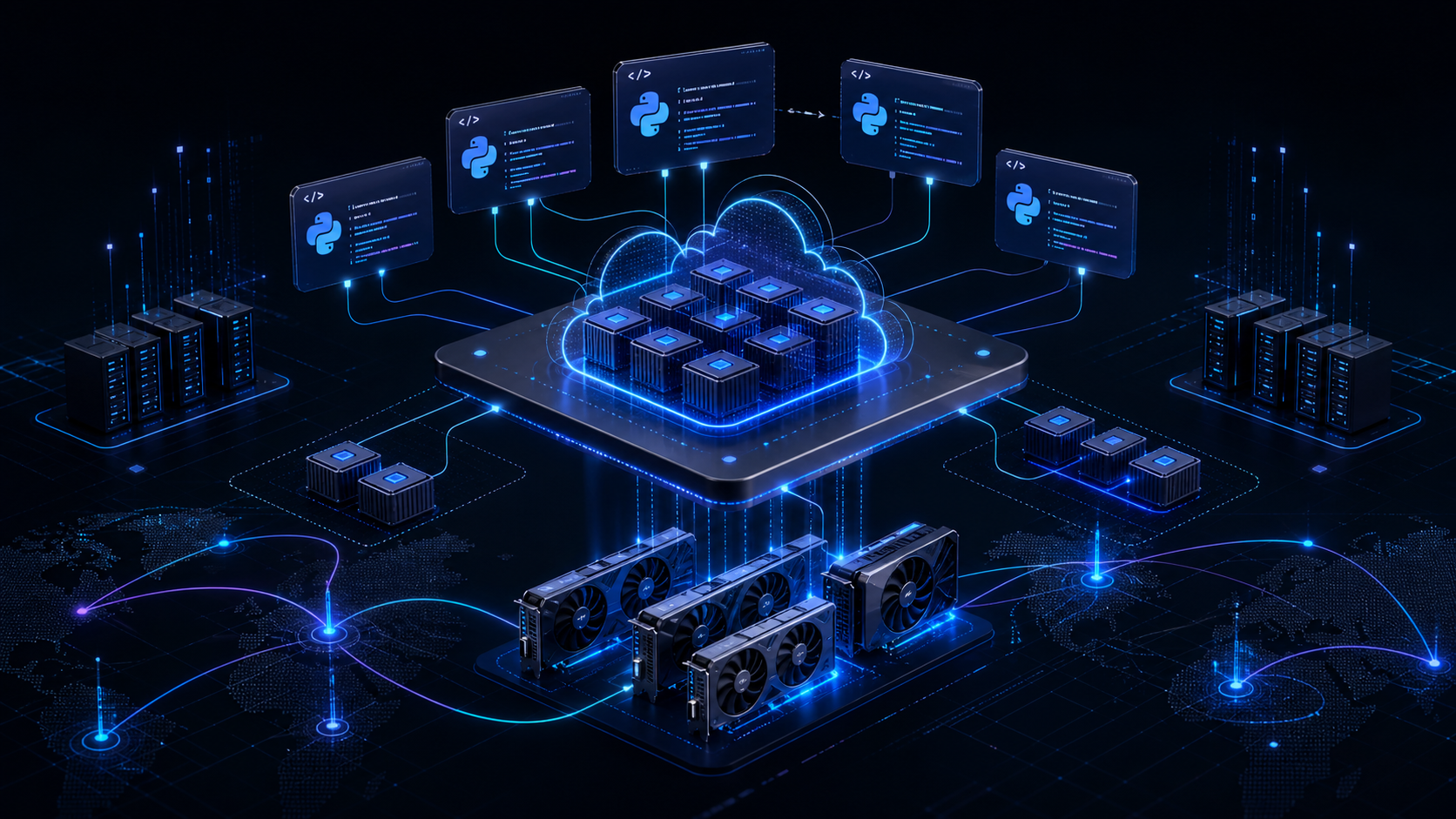
Core idea: Modal is not just another GPU rental page. It is a Python-first serverless execution layer for AI, data, batch, inference, and sandbox workloads. For AI developers, that changes the shape of what is practical to build quickly.
Need a Modal build partner? Nythral builds product systems on Modal. See Build on Modal with Nythral for the service path, PeakCut architecture proof, and consultation form.
AI development has an infrastructure problem hiding behind every impressive demo. The model is only one part. The painful part is usually everything around it: GPU availability, containers, drivers, background workers, queues, cold starts, model weights, secrets, logs, cron jobs, inference endpoints, batch runs, and a deployment story that does not collapse the first time traffic becomes irregular.
Modal is interesting because it attacks that operational layer directly. The developer writes ordinary Python, defines the runtime image, selects CPU or GPU resources, and deploys functions that run remotely in Modal's cloud. Modal's own documentation describes the core model clearly: it takes code, places it in a container, executes it in the cloud, and automatically scales containers based on traffic. The practical result is a serverless platform shaped around AI and data workloads instead of a generic web function runtime.
That is why the service feels unusually valuable for AI developers. It removes a class of infrastructure work that usually appears too early in a product: provisioning GPU machines, wiring queues, managing idle cost, writing deployment YAML, and deciding whether a prototype deserves a permanent server. Modal lets a small team move from “I have a model script” to “I have a callable production job” with far less ceremony.
What Modal Actually Is
At the center of Modal is a set of cloud primitives for running code: Apps, Functions, Images, Secrets, Volumes, Queues, Sandboxes, Schedules, and Web Functions. These are not abstract marketing labels. They map closely to the things AI systems need in production.
The clean mental model is this: Modal is a remote execution fabric for Python-heavy workloads. It is especially strong when the work is expensive, bursty, slow, GPU-bound, parallel, or operationally awkward to host inside a normal application server.
Is It “AWS Lambda For AI”?
The comparison is useful, but only if it is precise. Modal is Lambda-like in the economic and operational sense: you deploy functions, the platform runs them on demand, scales containers up when traffic grows, scales down when demand disappears, and bills in small time increments instead of forcing you to reserve servers. Modal's billing docs explicitly describe it as serverless compute where reservations are not required and there are no minimum usage-time increments.
But Modal is not just AWS Lambda with a GPU checkbox. The important difference is workload shape. Classic serverless functions are usually short web or event handlers. Modal is designed around heavier AI and data jobs: GPU inference, batch processing, long-running workers, model weight caching, custom container images, queues, web endpoints, scheduled jobs, notebooks, and isolated Sandboxes. So the clean phrase is: Modal feels like Lambda economics applied to AI compute, with containers and GPUs as first-class primitives.
Why AI Developers Care
Most software teams know how to deploy a web app. Far fewer have a clean pattern for “run a 14-minute GPU job, fetch model weights, keep credentials out of code, scale to many parallel jobs, store the output, expose a result to the product, and avoid paying for idle hardware all night.”
Modal gives that workflow a coherent shape. It supports GPU acceleration, web endpoints, job queues, scheduled jobs, persistent Volumes, cloud bucket mounts, Secrets, notebooks, batch processing, and Sandboxes for isolated code execution. For an AI product, those are not optional extras. They are the production skeleton.
The GPU Story
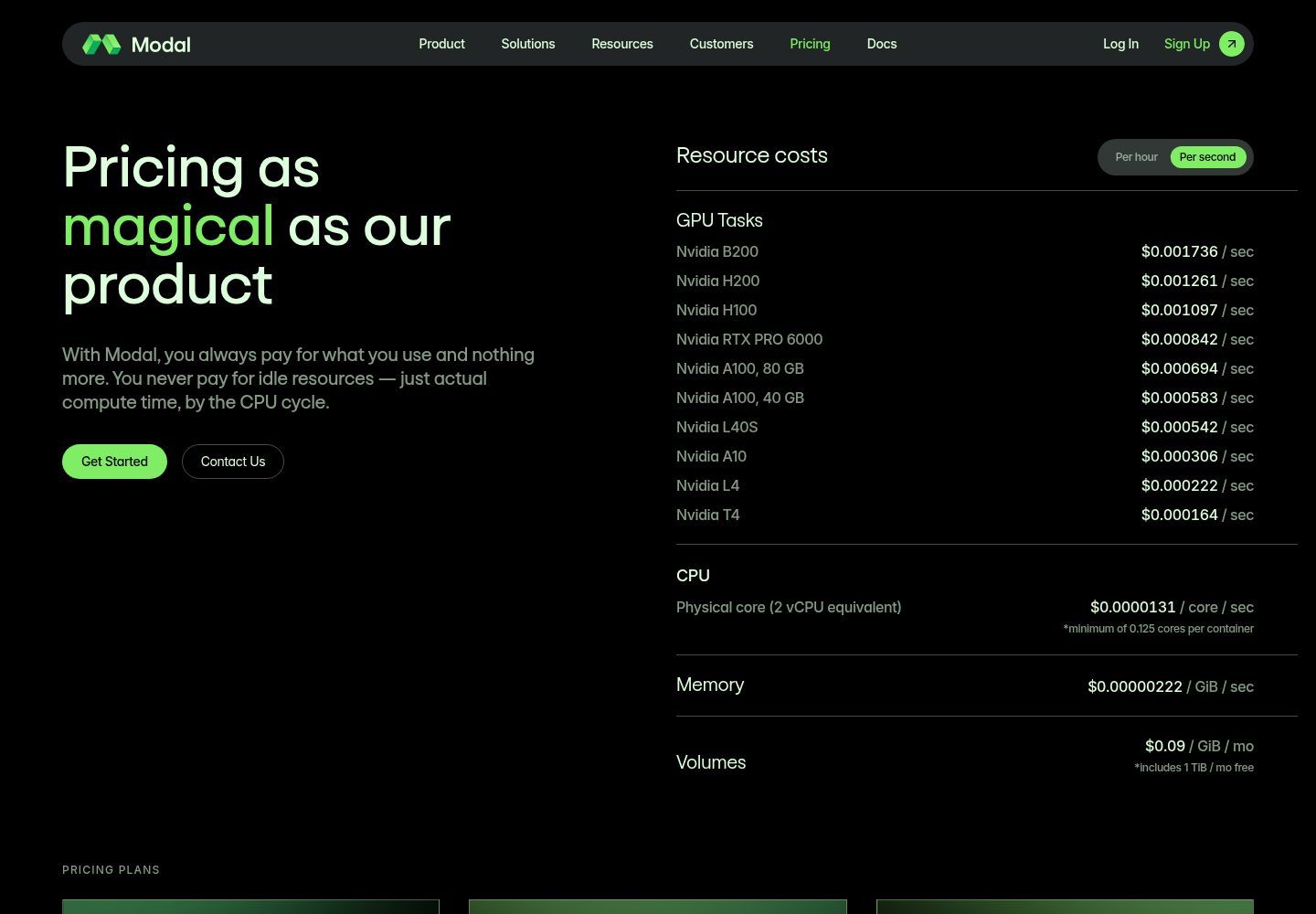
Modal's GPU support is one of the main reasons it stands out. Its GPU documentation currently lists T4, L4, A10, L40S, A100, A100-40GB, A100-80GB, RTX PRO 6000, H100, H200, and B200/B200+ as selectable GPU values. Multi-GPU containers are supported by appending a count such as gpu="H100:8". Modal says B200, H200, H100, A100, L4, T4, and L40S instances support up to 8 GPUs per container, while A10 supports up to 4 GPUs.
Modal also explicitly recommends starting with L40S for many neural network inference workloads because it offers a strong cost/performance tradeoff and 48 GB of GPU RAM. That recommendation is important: the most expensive GPU is not automatically the right GPU. Small-batch LLM inference is often memory-bound, not arithmetic-bound, so a B200 may not beat a cheaper card by enough to justify the spend unless the workload can actually use the throughput.
| GPU option | Where it tends to fit | Modal price shown July 4, 2026 |
|---|---|---|
| Nvidia B200 | Frontier-class inference, large model serving, high-throughput experiments. | $0.001736/sec, about $6.25/hour |
| Nvidia H200 | Large LLM inference and memory-heavy model workloads. | $0.001261/sec, about $4.54/hour |
| Nvidia H100 | Strong general high-end AI training/inference baseline. | $0.001097/sec, about $3.95/hour |
| Nvidia RTX PRO 6000 | High-memory workstation-class GPU workloads. | $0.000842/sec, about $3.03/hour |
| Nvidia A100 80 GB | Mature high-memory AI workloads and batch inference. | $0.000694/sec, about $2.50/hour |
| Nvidia A100 40 GB | Older but still useful high-end model workloads. | $0.000583/sec, about $2.10/hour |
| Nvidia L40S | Excellent default candidate for many inference and generation workloads. | $0.000542/sec, about $1.95/hour |
| Nvidia A10 | Cost-sensitive inference, image work, smaller models. | $0.000306/sec, about $1.10/hour |
| Nvidia L4 | Efficient inference, embeddings, lighter GPU jobs. | $0.000222/sec, about $0.80/hour |
| Nvidia T4 | Budget inference, tests, lightweight ML tasks. | $0.000164/sec, about $0.59/hour |
Pricing caveat: GPU prices change. The table above reflects Modal's public pricing page as checked on July 4, 2026. Always verify the current pricing page before planning a budget.
The detail matters because AI infrastructure is not one hardware need. Embeddings may run comfortably on CPU or smaller GPUs. Image generation may need a different memory and latency profile. LLM inference might want large VRAM and fast cold-start behavior. Batch transcription has different economics than low-latency chat. Modal gives developers a way to express those requirements at the function level instead of locking the entire application to one machine profile.
Architecture rule: size the Modal function to the job, not the company. A document parser, image generator, embedding batch, agent sandbox, and LLM endpoint should not all inherit the same infrastructure shape.
What Models Are Available?
This is the question people often phrase incorrectly. Modal is not primarily a model marketplace. The core platform lets you run your own code and bring model weights from places like Hugging Face, object storage, a Modal Volume, or a custom image. That means the practical model list is broad: if the model can run in your container on the selected hardware, Modal can usually be part of the deployment path.
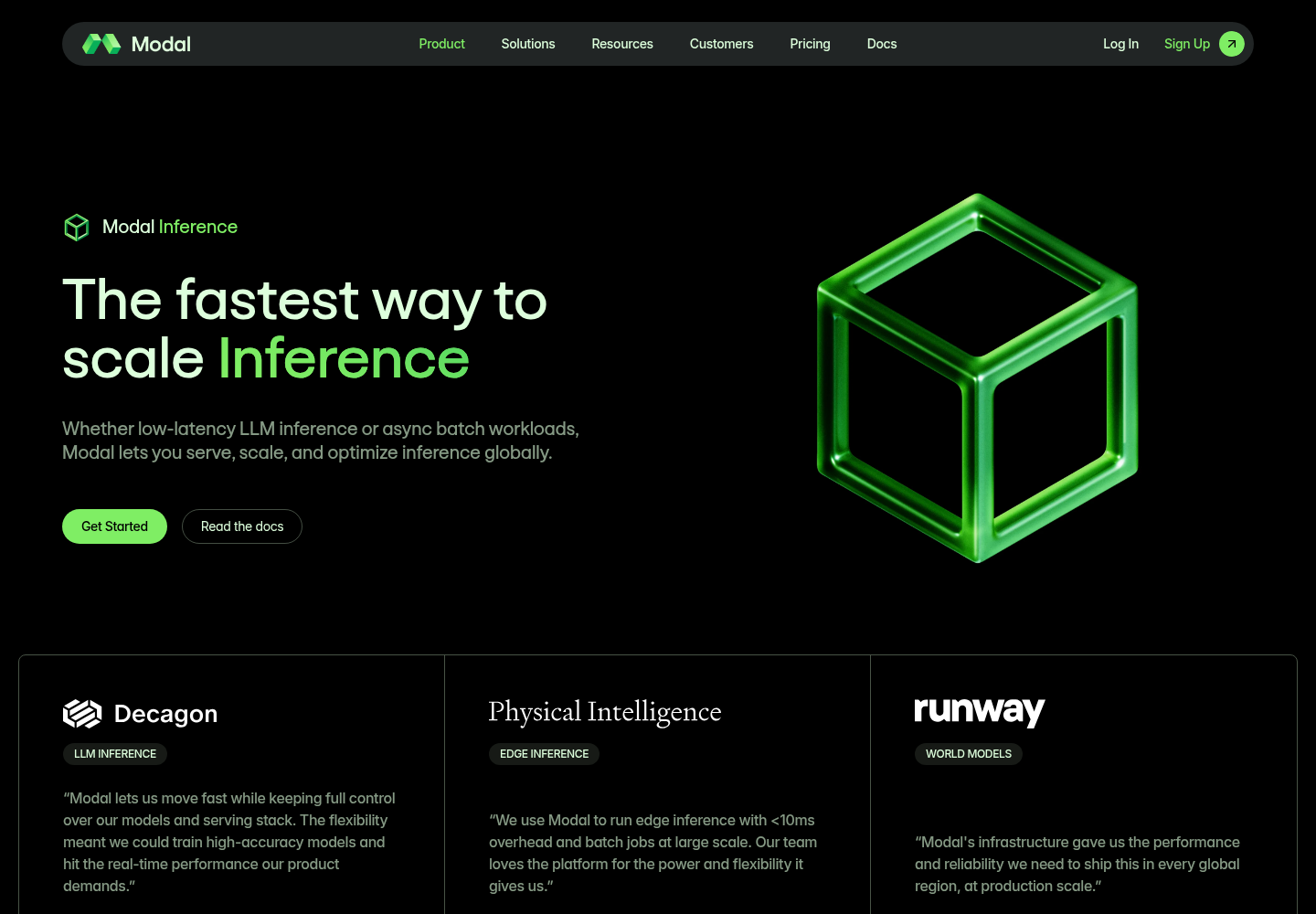
At the same time, Modal now also markets Modal Inference as a higher-level inference product. Its public inference page says teams can select from a full catalog of models or bring their own weights from Hugging Face or a Volume. As checked on July 4, 2026, the visible catalog examples included Kimi K2.6 NVFP4, DeepSeek V4 Pro, Gemma 4 26B A4B IT, Gemma 4 31B IT, NVIDIA Nemotron 3 Super 120B A12B NVFP4, GPT-OSS 120B, Qwen3.5 397B A17B FP8, and Qwen3.6 27B.
That creates two deployment modes. In one mode, you treat Modal like programmable infrastructure and deploy models yourself with vLLM, SGLang, Transformers, Diffusers, Whisper, custom CUDA code, or your own Python stack. In the other mode, you use Modal's inference product where a managed catalog and open inference engines reduce the amount of serving work you own. The first mode maximizes control. The second mode reduces operational load.
How Deployment Works
Modal deployment is container-based, but the developer experience is not “write Kubernetes YAML and babysit Docker hosts.” Modal Images define the execution environment. You can build an image programmatically from a base image with Python dependencies, apt packages, environment variables, and setup commands. You can also load existing images from public registries, private Docker Hub, AWS ECR, Google registries, Azure Container Registry, or a Dockerfile.
A minimal GPU endpoint can be as direct as this:
import modal

app = modal.App("ai-inference")

image = (
    modal.Image.debian_slim(python_version="3.12")
    .uv_pip_install("vllm", "huggingface_hub")
)

@app.function(
    image=image,
    gpu="L40S",
    timeout=600,
    secrets=[modal.Secret.from_name("huggingface-token")],
)
@modal.web_endpoint(method="POST")
def generate(payload: dict):
    prompt = payload["prompt"]
    return {"result": run_model(prompt)}
Then the workflow is simple in principle: develop locally, run functions remotely during development when needed, deploy the app with Modal's CLI, and call the resulting function or web endpoint from the product backend. Modal builds the container image, provisions the requested CPU/GPU resources, runs the function in isolated containers, scales container count with demand, and shuts capacity down when unused.
Web Endpoints Make It Product-Friendly
Modal Functions can be invoked from Python clients, but the platform also supports Web Functions for HTTP access. That is the bridge from AI infrastructure to product architecture. A Next.js app, mobile backend, CRM, or internal tool can call a Modal-powered endpoint without embedding Modal into every part of the codebase.
This is where Modal becomes especially practical for teams building AI products. The core application can remain boring and durable: authentication, customers, billing, project state, file metadata, audit logs, permissions, and UI live in the main system. Modal handles expensive execution: inference, transformation, data extraction, batch generation, evaluation, or sandboxed code runs.
| Workload | Good Modal fit? | Why |
|---|---|---|
| Embeddings for large document sets | Strong | Parallel, compute-heavy, often bursty, and easy to model as a background job. |
| Image, video, or audio generation | Strong | GPU-bound and expensive enough that scale-to-zero and per-job resource selection matter. |
| LLM inference API | Strong, with latency planning | Useful when custom models or custom inference engines matter more than a generic hosted API. |
| Agent code execution | Strong | Sandboxes provide a cleaner isolation model for generated or untrusted code than running it in the main app. |
| Customer database and billing state | Weak | This should stay in the core backend where transactional state, migrations, observability, and governance are explicit. |
Queues, Batch Jobs, and Schedules
AI work is often asynchronous by nature. A user uploads a PDF and waits for extraction. A team imports 80,000 records and waits for embeddings. A nightly job re-ranks content. A crawler refreshes a knowledge base. A product runs evaluation suites before promoting a model. These are not request-response web problems; they are job orchestration problems.
Modal Queues are cloud-hosted FIFO queues, useful for passing tasks between distributed components. Schedules provide cron-like execution. Batch processing and input concurrency help scale work across many inputs. In practice, these primitives let a team build AI workflows without immediately reaching for a separate queue service, worker fleet, scheduler, and GPU orchestrator.
Storage, Secrets, and Model Weights
One of the less glamorous but important parts of Modal is storage. Volumes are designed as a distributed filesystem for Modal applications, optimized for patterns like creating model weights and distributing them for inference. Cloud bucket mounts help when the source of truth already lives in object storage. Secrets allow credentials to be injected into functions without hard-coding keys into the repository.
This is the part that separates a useful demo from a maintainable system. Model weights need caching. Dataset inputs need a predictable path. Outputs need persistence. API tokens need a lifecycle. The expensive job should not download the same large model on every run if the platform gives you a better pattern.
Sandboxes Are A Big Deal For Agents
Modal Sandboxes deserve special attention because the next wave of AI products is not only inference. It is agents executing code, cloning repositories, running tests, transforming files, evaluating outputs, and using tools. Modal describes Sandboxes as secure containers for executing untrusted user or agent code. A default Sandbox has no ability to accept incoming network connections or access your Modal resources, and Modal provides outbound network controls for stricter execution policies.
For agentic systems, that is a serious primitive. Running generated code inside the main application container is a boundary failure. Running it on a hand-rolled VM pool is possible, but now the team owns isolation, cleanup, networking, filesystem limits, dependency installs, and cost control. Sandboxes give developers a managed shape for those workloads.
Security And Governance
Modal's security documentation covers encryption in transit and at rest, TLS, gVisor-based containerization and virtualization, audit logs, RBAC, SSO options, customer-supplied encryption keys, and SOC 2 Type 2. It also explains the shared responsibility model clearly: customers still own backup, recovery planning, availability contingencies, and appropriate controls for their own data.
That shared responsibility framing is important. Modal can be the right place to run compute, but the application owner still needs to decide what data should be sent there, how secrets are scoped, what logs contain, which models can access private inputs, how outputs are retained, and where regulated or highly sensitive workloads belong.
This is also where private AI model infrastructure enters the architecture conversation. Modal is excellent for elastic execution. Private AI infrastructure is about ownership, residency, local control, and reducing dependency on external compute for sensitive workloads. Mature teams may need both: Modal for bursty or experimental jobs, and private infrastructure for workloads where data control, latency locality, or long-running dedicated capacity matters more.
Pricing: The Real Tradeoff
Modal's pricing model is serverless: the platform states that you pay for compute you use or request, without reservations or minimum usage-time increments, and current unit pricing lives on its pricing page. That is the key economic feature. The service is attractive not only because it has GPUs, but because expensive GPUs can be consumed in per-second units instead of being treated as permanent machines.
As checked on July 4, 2026, Modal's public pricing page listed GPU task prices from $0.000164/sec for T4 up to $0.001736/sec for B200. CPU was listed at $0.0000131/core/sec for a physical core, memory at $0.00000222/GiB/sec, and Volumes at $0.09/GiB/month with 1 TiB/month included. That is why the Lambda comparison is directionally correct: you pay for actual compute time, and the unit of thought becomes jobs, functions, and seconds instead of boxes, reservations, and idle capacity.
But serverless pricing is not automatically cheaper. If a workload runs continuously at high utilization, a reserved GPU server or owned private machine can become more economical. If a workload is irregular, experimental, parallel, or difficult to forecast, Modal can be dramatically cleaner than buying or renting fixed capacity. The correct answer depends on utilization, latency target, model size, data movement, engineering cost, and operational risk.
| Choose Modal when | Be careful when |
|---|---|
| Traffic is spiky or unpredictable. | The model must stay warm with strict low-latency SLOs all day. |
| You need GPUs for jobs, not permanent infrastructure. | Data residency or contractual restrictions prevent external processing. |
| The team wants to ship Python AI services quickly. | The system needs deep custom networking, fixed hosts, or persistent VM semantics. |
| You are prototyping, evaluating, batching, or scaling async jobs. | Usage is steady enough that dedicated private hardware wins on cost. |
Where Modal Fits In A Nythral-Style Architecture
The best architecture does not put everything in one platform just because the platform is good. A clean Nythral implementation would keep the product backend as the owner of durable state and use Modal as a specialized execution plane.
For example, a private AI product might use the main backend for customers, projects, permissions, billing, files, job records, status transitions, and audit events. Modal would run document extraction, embeddings, model inference, agent sandboxes, dataset processing, and scheduled evaluation. Results would flow back into the core system through authenticated APIs or controlled storage paths.
That boundary keeps the system understandable. Modal does the hard compute. The product backend owns truth. The user interface never has to know which GPU ran a job; it only needs durable job status and useful output.
The Practical Verdict
Modal is a standout service because it compresses a large amount of AI infrastructure into a developer-friendly model without pretending that AI compute is the same as ordinary web hosting. It gives AI developers the primitives they actually need: Python execution, GPUs, autoscaling, web endpoints, queues, schedules, volumes, secrets, sandboxes, notebooks, and production deployment paths.
The strongest use case is not “replace your backend.” The strongest use case is “stop forcing AI compute into infrastructure that was designed for CRUD apps.” Use Modal for the heavy, bursty, parallel, GPU-bound, sandboxed, or experimental parts of the system. Keep product state and sensitive operational control in a deliberate backend. Add private AI infrastructure where control, residency, or constant utilization justify it.
Used that way, Modal is not a shortcut around architecture. It is a very good compute layer inside a better architecture.
Sources
- Modal: AI infrastructure that developers love
- Modal Pricing
- Modal Inference
- Modal Docs: Introduction
- Modal Docs: Images
- Modal Docs: Using existing images
- Modal Docs: GPU acceleration
- Modal Docs: Web Functions
- Modal Docs: Queues
- Modal Docs: Volumes
- Modal Docs: Secrets
- Modal Docs: Sandboxes
- Modal Docs: Security and privacy
- Modal Docs: Billing
- Nythral: Private AI Models