Short answer: Google Search Console (GSC) is a free Google tool that shows the real search terms you appear for, how often people click, and where you rank. It is the foundation of SEO because it is ground truth from Google itself — not a third-party estimate. Connect it, submit your sitemap, then live in one report: Performance → Queries and Pages.
Want this run for you every week? Nythral's Continuous SEO turns Search Console data into a prioritized action list — queries, pages, and conversion fixes — and the platform lives at nseo.nythral.com.
What Is Google Search Console?
Google Search Console is a free dashboard that reports how your site actually performs in Google Search. Where keyword tools estimate, GSC shows the real numbers Google recorded: which queries triggered your pages, how many people saw you, how many clicked, and your average position. It also handles indexing, sitemaps, and technical alerts.
If SEO is "show up for the right searches and turn those visitors into the outcome you want," GSC is the instrument panel that tells you whether that is happening. It is genuinely the base of search optimization — everything else is reacting to what it shows you.
How To Connect Google Search Console
You add your site as a property. There are two kinds, and one verification step.
| Property type | What it covers | How you verify |
|---|---|---|
| Domain (recommended) | The whole domain — every subdomain and http/https. | One DNS TXT record at your domain registrar. |
| URL-prefix | Only the exact prefix (e.g. https://www.example.com/). | HTML file upload, HTML meta tag, Google Analytics, or Google Tag Manager. |
Use a Domain property if you can — it captures everything and avoids the classic mistake of tracking only www while traffic lands on the bare domain. Verification is a one-time step: add the record or tag Google gives you, click Verify, done. Data starts accumulating from that day (GSC does not backfill history), so connect early even if you are not ready to act yet.
How To Add a Sitemap
A sitemap is a file (usually /sitemap.xml) that lists your important URLs so Google can discover them reliably. Most modern platforms generate it automatically — check yourdomain.com/sitemap.xml first.
| Step | Do this |
|---|---|
| 1. Find it | Open yourdomain.com/sitemap.xml and confirm it lists your pages. |
| 2. Submit it | In GSC, open Sitemaps, paste sitemap.xml, click Submit. |
| 3. Check status | It should read "Success" with a discovered-URL count within a day or two. |
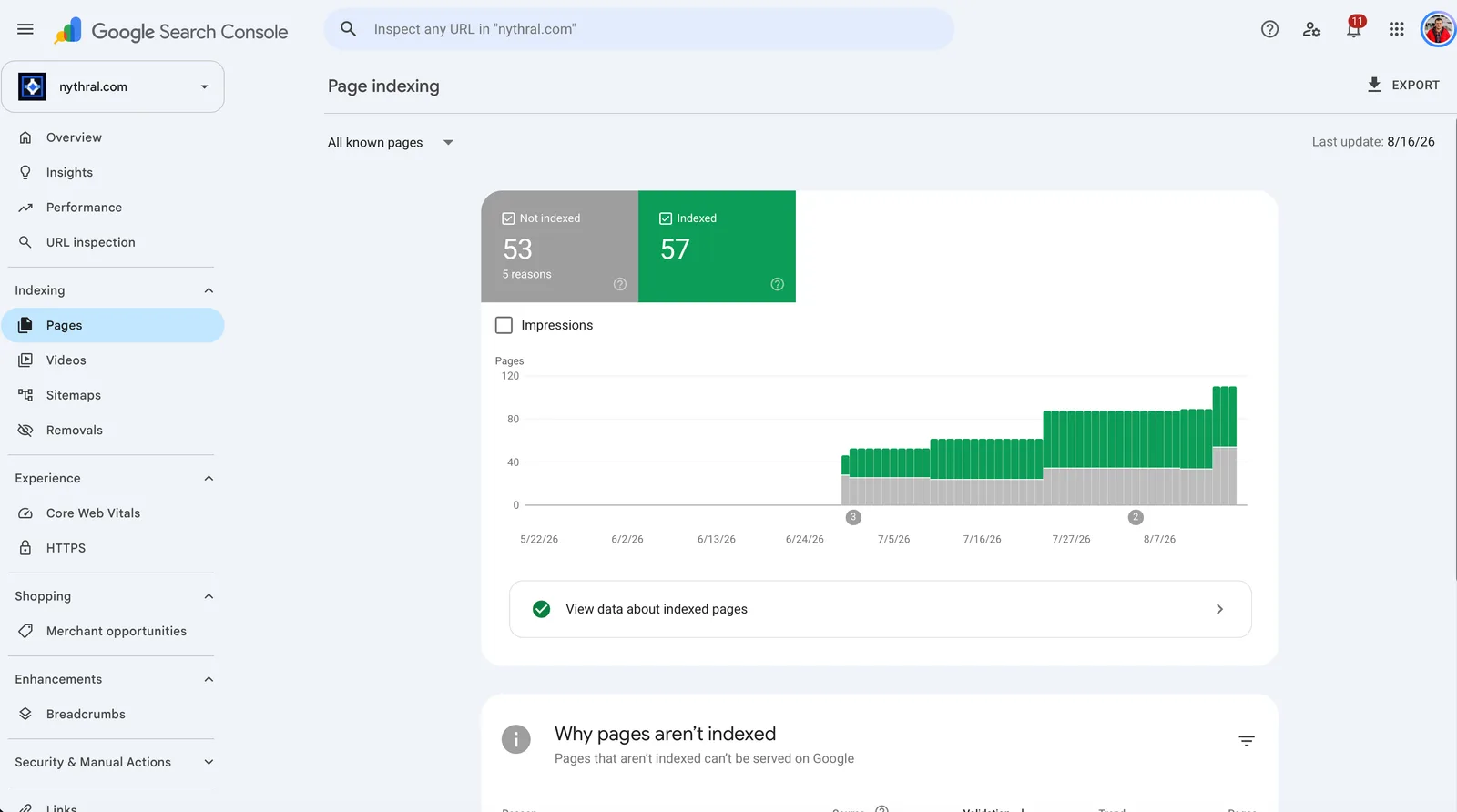
| 4. Spot-check | Use URL Inspection on a key page to confirm it is indexed. |
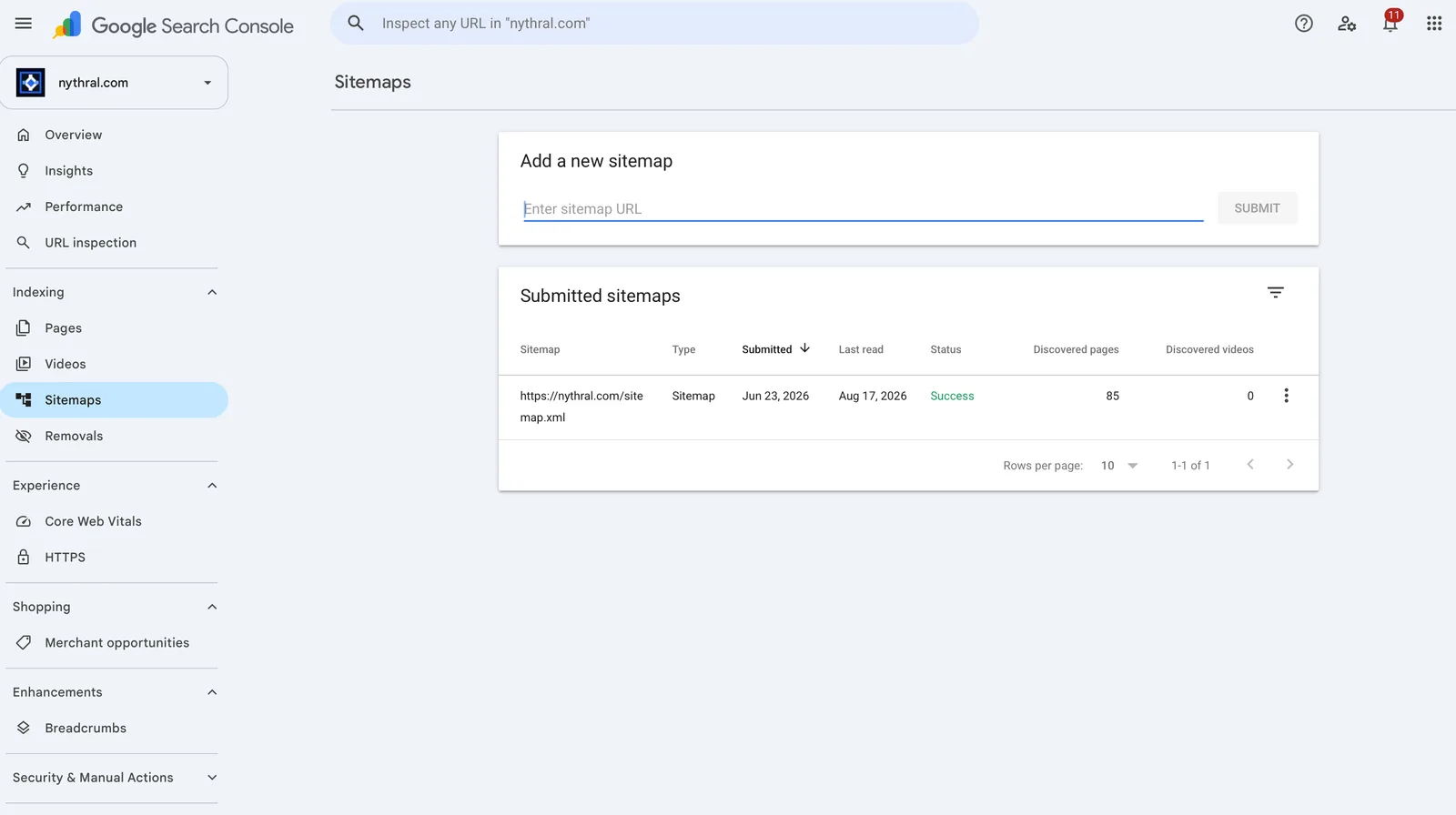
sitemap.xml, then confirm "Success" and the discovered-page count (85 here).A sitemap helps discovery; it does not force indexing or ranking. If important pages stay unindexed, that is a content or technical signal to investigate — see the SEO audit checklist.
The One Report That Matters: Performance
Ninety percent of the value is in Performance → Search results. Turn on all four metrics at the top:
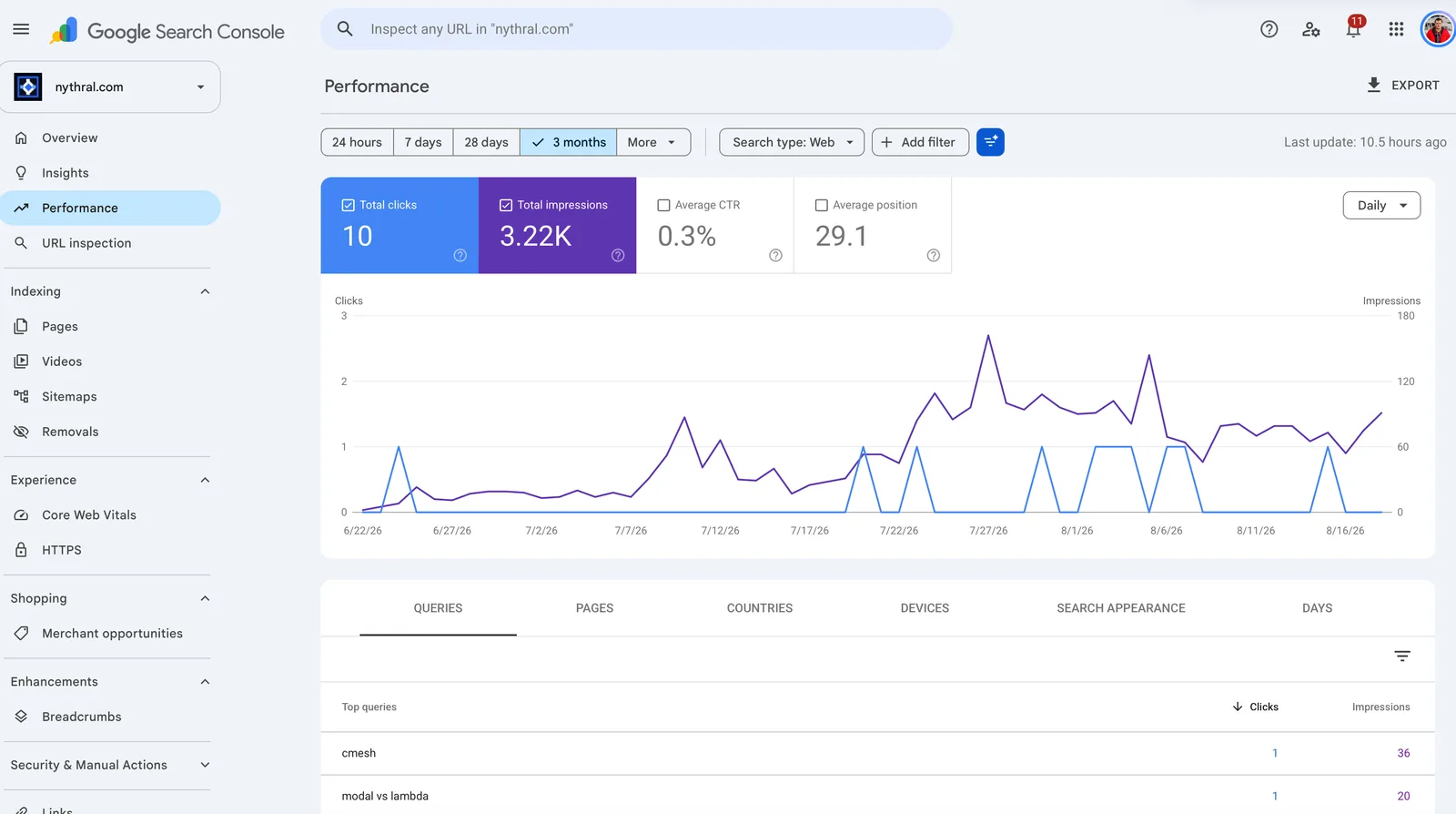
Below the chart are tabs. Two of them are where the real work happens: Queries and Pages. Everything below is how to read them and what to do.
Reading the Queries Tab: Are You Showing Up for the Right Searches?
The Queries tab lists the exact searches you appeared for. This is the single most useful list in SEO, because it tells you what Google thinks your site is about. For each meaningful query, ask three questions in order:
The Big Decision: Optimize the Page or the Keywords?
Here is the framework in plain terms. Look at a query, look at the page it lands on, look at what you want to happen — and one of these situations will be true.
| What Search Console shows | What it means | What to do |
|---|---|---|
| You sell something, but you appear for "how to do X for free" | Intent mismatch — you are attracting people who will never buy. | Optimize the keywords. Re-target commercial terms; stop optimizing pages for free-seekers. |
| You appear for "buy X" or "X service" — great intent — but the landing page is just a blog article | Right audience, wrong page. The traffic is valuable but the page does not convert. | Optimize the page. Add a clear offer and call-to-action, or route that query to a real landing/sales page. |
| Good query, but you have no page for it (Google ranks a weak, unrelated page) | Unmet demand you are half-capturing by accident. | Build the page that properly targets it. |
| Right query, right page, but goal is just readership | Everything aligns. | Leave it — maybe add a soft next step (subscribe, related offer). |
That is the whole game, repeated across your top queries: either move the keywords toward your goal, or move the page toward the keywords. A blog post pulling in "buy" searches is not a failure — it is a signal to give those searchers a page that converts.
Reading the Pages Tab: Which URLs Do the Work?
Switch to the Pages tab to see performance by URL. The most common, most fixable patterns:
| Pattern in GSC | Likely cause | Action |
|---|---|---|
| High impressions, low CTR | Title/description do not match intent, or you rank low. | Rewrite the title and meta to match the query; strengthen the page. |
| Position 8–20 for a valuable query | "Striking distance" — close to page one. | Improve that page (depth, internal links) to push it up. |
| Page ranks for queries you never targeted | Google found relevance you did not plan. | Lean in: add a section, or split off a dedicated page. |
| Important page has almost no impressions | Not indexed, or not seen as relevant. | Check indexing (URL Inspection) and on-page targeting. |
Tip: click a page to filter queries to that page (and vice versa). That query-plus-page view is exactly how you confirm intent-to-page-to-goal alignment.
Turning Numbers Into Actions
Every observation in GSC maps to one of a small set of moves:
A Simple Weekly Routine
You do not need to live in GSC. A focused pass is enough:
| Cadence | Check |
|---|---|
| Weekly | Top queries and pages: any wrong-intent traffic? Any high-impression, low-CTR listings to rewrite? |
| Monthly | Striking-distance queries (position 8–20) to push; new queries that deserve their own page. |
| As needed | Indexing/coverage alerts; re-submit sitemap after big content changes. |
Google Search Console FAQ
| Question | Answer |
|---|---|
| Is Google Search Console free? | Yes, completely free with a Google account. |
| GSC vs Google Analytics? | GSC is about how you appear in Google Search (queries, impressions, rank). Analytics is about what people do once they are on your site. You want both. |
| How long until I see data? | Data starts from verification day (no backfill) and typically appears within 1–2 days. |
| Do I have to submit a sitemap? | Not strictly, but it helps Google discover pages reliably — always submit one. |
| Why do I rank for weird queries? | Google is matching a page it found relevant. Treat it as a signal: build or optimize the right page for that intent. |
The Bottom Line
Google Search Console is the base of SEO because it replaces guessing with Google's own data. The loop is simple and endlessly repeatable: see which queries you appear for, check whether you have a page for them, confirm the page matches both the searcher's intent and your goal, then either optimize the page or re-target the keywords. Do that consistently and your traffic starts converting instead of just accumulating.
From here, pair GSC with a real plan (SEO content strategy), group your terms (keyword clustering), and keep the technical base clean (SEO audit checklist). Or have Nythral run the whole loop as Continuous SEO.